Shared AI Business Brain
Your AI agents. Finally working together.
Give your team and every connected AI agent the same current company knowledge — priorities, decisions, pricing, procedures, and the documents behind them — so one agent can pick up where another left off, with people in control.
Give your people and connected AI agents the same current company knowledge, so one agent can pick up where another left off — with people in control.
Included in every Ownbox · No seat fees · Your Brain stays when you change AI providers
- Sales: Respond to prospects faster. Dots is asked: “Review this week's prospect emails. What questions are we not answering well?” Result: FAQ gaps found; new answers proposed. A person reviews the sales faq update in Ownbox and approves it: FAQ update approved. Then Muse is asked: “Draft replies to those prospects using our updated answers.” Result: Prospect replies drafted; not sent.
- Pricing: Keep website pricing accurate. Grok Bot is asked: “Compare our latest approved price sheet with our website. What's outdated?” Result: Pricing discrepancies identified. A person reviews the website pricing correction brief in Ownbox and approves it: Correction brief approved. Then Gemini CLI is asked: “Update the website to match our approved pricing and prepare the changes for review.” Result: Website changes ready for review.
- Customer service: Prevent service disruptions. Grok Bot is asked: “Check tomorrow's weather. Will it affect any of our service appointments?” Result: Potential appointment disruptions identified. Ownbox finds the rescheduling policy approved before, and nothing new needs approval: Rescheduling policy found. Then OpenClaw is asked: “Identify affected appointments and prepare customer notifications.” Result: Customer notices drafted; not sent.
- Website repair: Repair a broken booking form. Claude Code is asked: “Our booking form stopped working. Find the problem and propose a fix.” Result: Root cause and fix plan proposed. A person reviews the booking form fix plan in Ownbox and approves it: Fix plan approved. Then Cursor is asked: “Implement the approved fix and add a test.” Result: Code changes ready for review.
- Employee onboarding: Onboard employees faster. Dots is asked: “Who's starting next week? What do we need to prepare for them?” Result: New-hire preparation needs identified. Ownbox finds the onboarding procedures approved before, and nothing new needs approval: Onboarding procedures found. Then Hermes Agent is asked: “Prepare personalized first-week checklists for our new hires.” Result: Individual checklists prepared.
- Product launch: Keep sales informed of launches. Codex is asked: “Summarize the new features we've completed and what's ready to launch.” Result: Launch summary proposed for approval. A person reviews the service launch notes in Ownbox and approves it: Launch notes approved. Then Viktor is asked: “Prepare a Slack announcement so our sales team knows what's new.” Result: Slack announcement drafted; not posted.


Illustrative workflows, not live agent activity. External apps and permissions may be required. Agent-proposed changes to shared knowledge require human approval. Brands are shown for identification only; no affiliation is implied.
The problem
Your company has one reality. Your AI agents don't.
Pricing changes. A service policy gets updated. Sales gets a new priority. An employee learns something important. Unless that knowledge becomes shared context, every AI tool can work from a different snapshot of the business — and your people become the glue.
- Repeated explanationsPeople keep re-teaching the same business context to every new AI chat and agent.
- Out-of-date contextAn agent can do good work from yesterday's rules and still produce the wrong answer today.
- Knowledge trapped in chatsUseful decisions and lessons disappear inside individual conversations instead of becoming company knowledge.
What it is
Explain your business once. Let every agent work from it.
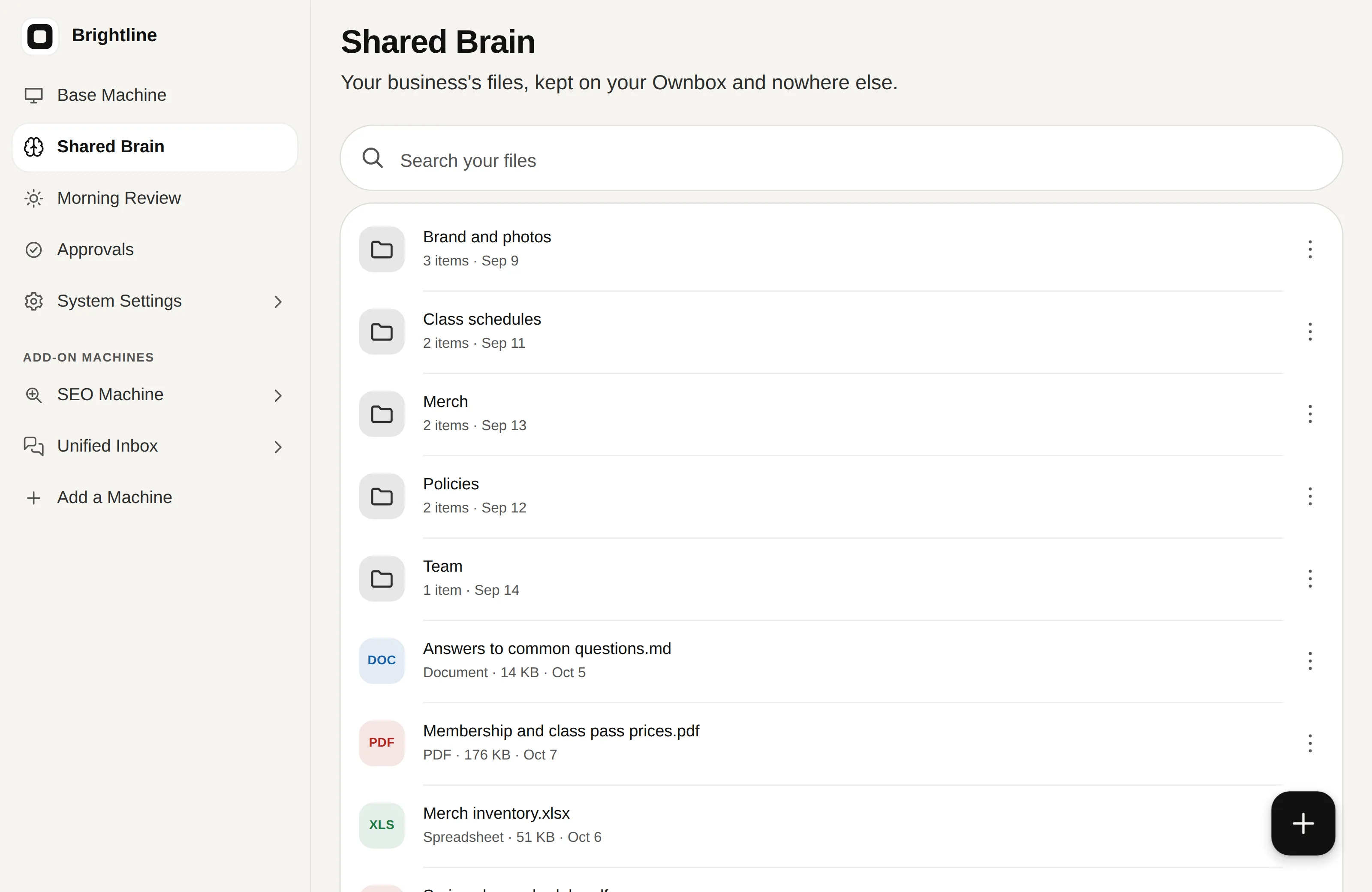
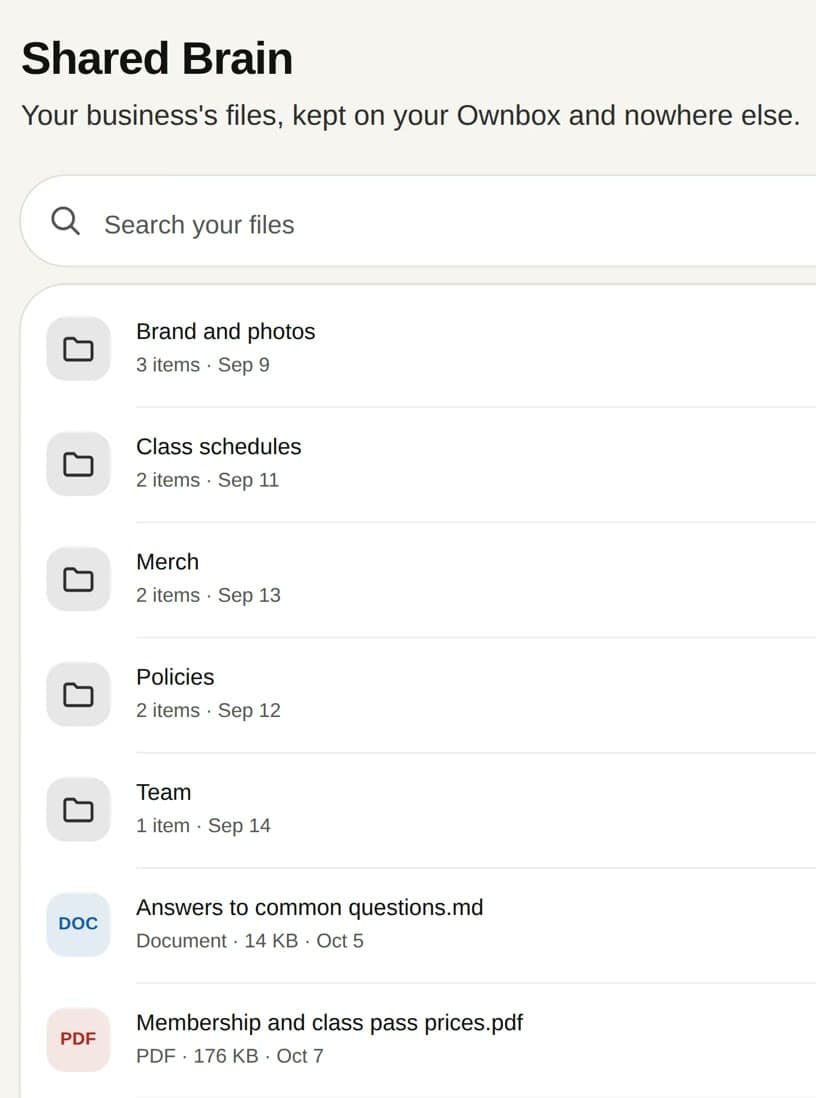
A Shared AI Business Brain is the current knowledge your company works from: its direction, priorities, decisions, pricing, procedures, and the documents behind them. Your people use it. Connected AI agents can read and search it. Useful new knowledge created by an agent can wait for a person to approve before it becomes shared context.
What belongs in the Brain
- Direction & priorities
- Pricing & offers
- Procedures & policies
- Product & service updates
- Approved messaging
- Key reference documents
Start with the information your team keeps repeating or correcting. You do not need to migrate your entire company archive.
Keep what already works
Keep Google Drive. Keep Dropbox. Keep your CRM and accounting.
Your systems of record stay where they are. The Brain holds the current knowledge your people and AI agents need to work from together.
Those systems stay where they are. Your file storage remains your file storage. Your CRM remains the record of customers and pipeline. Your accounting system remains the record of money. Ownbox adds a smaller, higher-value layer of current context: what changed, what the company decided, what matters now, and what your people and AI agents need to know to work consistently.
Add or copy only the important documents and context the Brain needs.
| Existing system | Keep using it for | What Ownbox adds |
|---|---|---|
| Google Drive / Dropbox | File storage, archives, shared folders | Current high-value knowledge selected for people and AI to work from together |
| CRM | Customers, pipeline, account records | Current sales rules, offers, positioning, decisions and context |
| Accounting | Transactions, invoices, financial records | Current financial policies, decisions and operating context when relevant |
| Ownbox Brain | — | Shared current context that connected people and agents can work from together |
A good first Brain can be small: your current sales brief, pricing sheet, service policies, procedures, and the latest decisions that keep getting repeated.
One foundation
One shared brain. Everything connected.
The Shared AI Business Brain sits at the center. The Business Dashboard and Mobile App give your people a way to work with it. The AI Connection and Dedicated MCP Server give supported AI agents a controlled way to reach the same current knowledge.

People stay in control
AI can learn from your business. It doesn't get to rewrite it on its own.
Agents can read and search approved knowledge. Anything they add waits for a person to approve it.
Connected agents can read and search approved Brain content. When an agent creates useful new knowledge, it can propose a new document for a person to approve. Agents cannot delete, move, or rename Brain files. Access and actions still depend on how your Ownbox is configured.
Read & search
A connected agent finds the relevant passage inside approved Brain content.
Propose
The agent can turn a useful lesson, correction, or brief into a proposed new document.
Approve
A person decides whether that new knowledge becomes part of the shared Brain.
Approved by a person
Compounding value
Change the AI. Keep what your company has learned.
The AI provider is replaceable. Your business context isn't. Connect another supported AI agent to the same Brain instead of rebuilding your company's knowledge from scratch. Every approved decision, procedure, brief, and lesson can become part of the shared context the next person or agent starts with.
- AI agent today
- Shared AI Business Brain
- AI agent tomorrow
Approved decisions · procedures · pricing · briefs · lessons
The Brain should outlive any one AI tool.
Included in every Ownbox
The Brain is the asset. Ownbox gives it a place to live and work.
Every Ownbox includes the Shared AI Business Brain plus the Business Dashboard, Mobile App, AI Connection, and Dedicated MCP Server. Start with Core and one included Machine, then add more jobs as your company grows.
Dedicated cloud server
Your business data is kept separate from other Ownbox customers.
Full export
Export the contents of your Ownbox any day.
Provider portability
Switch supported AI providers without rebuilding the Brain.
Move your Ownbox
Take it to your own DigitalOcean account; the move starts with a short setup call.
- $799once for Ownbox Core: 5 GB in your Shared AI Business Brain and one Machine. No seat fees.
- $1,599once for Ownbox Pro: 15 GB, unlimited people and both Machines.
- $99a month for Managed Support after the first 90 days ($199 with Pro): hosting, updates, backups and help. Optional; cancel anytime.
- $0extra for the AI. It runs on the Claude or ChatGPT plan you already pay for.
Questions about the Shared AI Business Brain
What is a Shared AI Business Brain?
One place for the current knowledge your company works from: its direction, priorities and decisions, and the documents behind them, shared by your team and your AI agents. On an Ownbox, it is the Shared AI Business Brain, read and searched by Claude, ChatGPT and other compatible agents. It sits beside your file storage, CRM and accounting rather than replacing them.
Does it replace Google Drive or Dropbox?
No. Keep your file storage. Ownbox is for the important current knowledge your people and AI agents need to work from together. Add or copy the documents that matter; do not migrate your entire archive just to build a useful Brain.
Does it replace my CRM or accounting system?
No. Your CRM stays the system of record for customers and pipeline, and your accounting system stays the system of record for financial transactions. The Brain holds the current decisions, policies, priorities, procedures, and supporting knowledge people and connected agents need to act consistently.
Which AI agents can use it?
Claude and ChatGPT, through your Ownbox's AI Connection, and any compatible agent that connects to your Dedicated MCP Server. Access and actions are governed by your setup.
Can an AI agent delete or change my files?
No agent can delete, move or rename a file. Agents read and search, and anything an agent saves waits on your Approvals until a person says yes. A file a person deletes waits 30 days in Recently deleted.
What kinds of files can it read?
It reads inside PDFs, Word documents and Excel spreadsheets, sheet by sheet, so an agent finds the passage it needs and not just a file name. Scanned pages and pictures are kept, but their contents are not read yet.
Is my business Brain public?
No. Only the documents you approve into the Public folder are published, as answers AI assistants and search engines can read. Nothing else on your Ownbox is exposed.
How much can it hold?
5 GB with Ownbox Core and 15 GB with Ownbox Pro.
What happens if I switch AI providers or leave Ownbox?
It stays. Connect a different AI provider and it works from the same files. Everything on your Ownbox exports in full, and moving your Ownbox to your own DigitalOcean account starts with a short setup call.
What does a Shared AI Business Brain cost?
It comes with every Ownbox: $799 once for Core or $1,599 once for Pro, on the AI plan you already pay for. Managed Support is free for the first 90 days, then $99 a month ($199 with Pro), and optional.
Explain your business once.
Give your people and AI agents one Shared AI Business Brain, on an Ownbox that is yours to keep.
$799 once · yours to keep
Get an Ownbox